
2026.06.12
I Moved My Email Onto Cloudflare Workers
目录
Three weeks ago I moved my domain's email off a hosted provider and onto Cloudflare — receiving, sending, storage, the reading UI, and phone push notifications, all running inside my own Cloudflare account. This is the full architecture, the decisions behind it, and every trap I hit. The result is open source: cf-mail on GitHub.
Why
My domain mail lived on a hosted provider's free tier. It worked, but:
- No IMAP/POP on that tier — mail was readable only in their web UI and app. There was no sanctioned way to get my own software at my own mail.
- SMTP existed but with tight quotas and no real automation story.
- Everything else I run — blog, images, projects — already lives in my own D1/SQLite and R2 on Cloudflare Workers. Email was the one rented enclave left.
The usual self-hosting answer is a VPS with Postfix/Dovecot, which means becoming a part-time mail admin and babysitting IP reputation forever. Mailcow and friends still need an always-on box. What I actually wanted was a third option, and it turns out Cloudflare has quietly shipped all the pieces over the last few years.
The architecture
receive   MX → Cloudflare Email Routing (free)
            └─ catch-all → a Worker
                 ├─ D1 lookup: unknown/inactive address → SMTP 550 reject
                 ├─ postal-mime parses the MIME
                 ├─ attachments → R2, message → D1
                 └─ optional forward of a copy to an external mailbox

send      my own API → the Worker's send_email binding (Email Service, DKIM-signed)

read      a small web client served by the same Worker

notify    new mail → Web Push (browsers) + APNs (my own iOS app)
The web client the Worker serves:
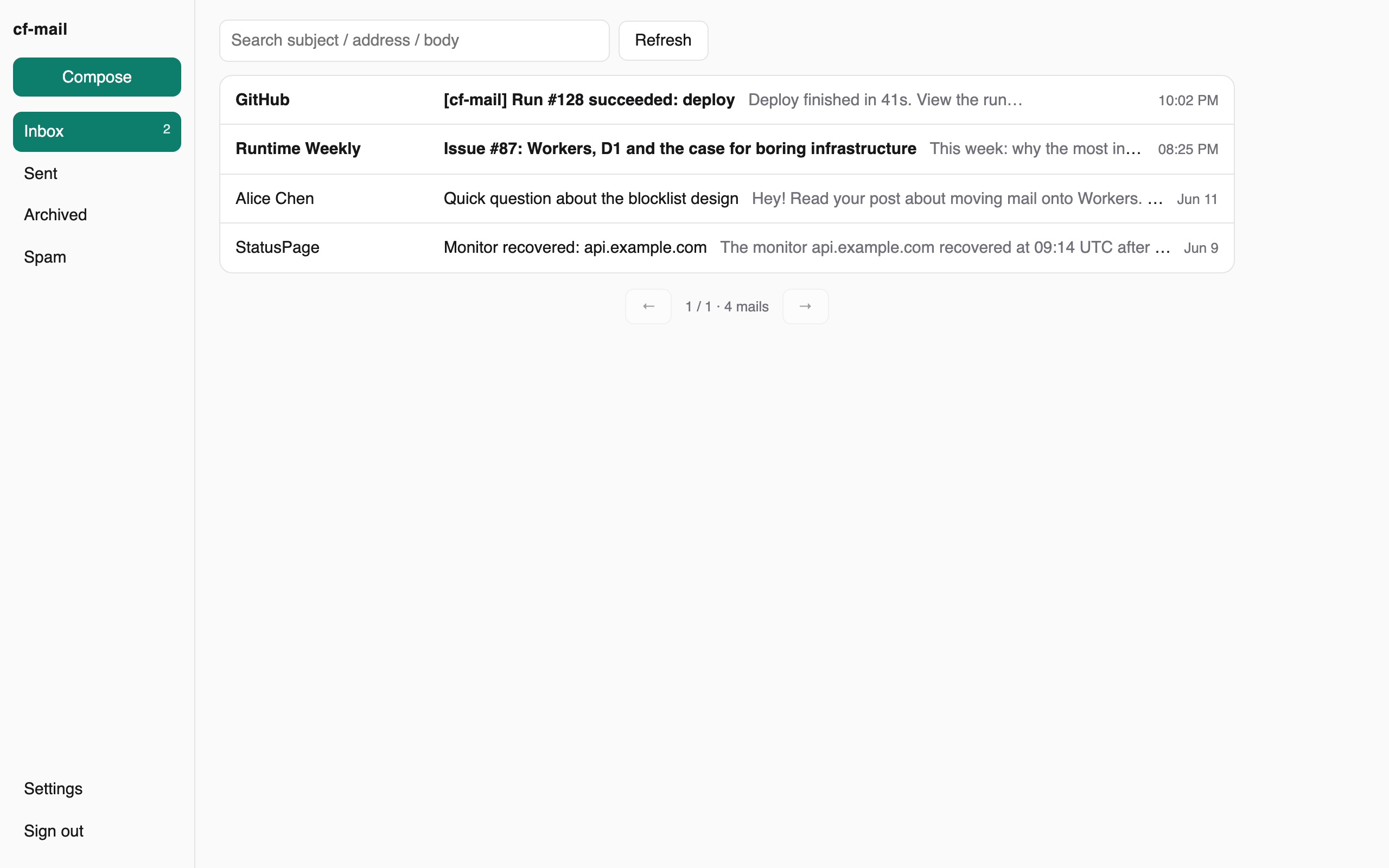
None of these pieces is novel on its own. The compound effect is the interesting part: email becomes ordinary rows in my database. Conversation threading is a GROUP BY on the References root. Full-text search is a LIKE (plenty at personal scale). The spam blocklist is a table with a blocked column. A "team mailbox" is one row with a forward field. Every feature I used to wait for a provider to ship is now a small commit.
Receiving: reject-by-default is a feature
Email Routing handles MX (free, no volume cap). Instead of configuring addresses in the dashboard, a single catch-all rule hands every message to the Worker, which looks the local part up in D1:
const box = await db.query(
  "SELECT * FROM addresses WHERE address = ?", localPart);
if (!box || !box.active) {
  message.setReject("550 5.1.1 mailbox unavailable");
  return;
}
Two things fall out of this design:
- Mailbox management is pure CRUD. Inserting a row creates a live address; flipping
activeoff makes the SMTP server itself reject with a 550. Dictionary-spray spam dies at the door without ever touching storage. - Plus-addressing comes free.
me+shop@folds intome@for delivery, with the original kept on the row — so when an address starts receiving spam, I know exactly who leaked it.
Parsing uses postal-mime (pure JS, runs fine inside Workers). Attachments stream to R2; body and metadata land in D1. And the failure semantics are honest by construction: if the Worker throws, the sending MTA gets a transient failure and retries per SMTP. A bad deploy delays mail; it doesn't lose any.
Sending: the trap everyone will hit
Outbound goes through Cloudflare's Email Service (beta): a send_email binding on the Worker, Cloudflare signs DKIM, mail goes to arbitrary recipients.
Here's the trap: after enabling Email Service in the dashboard, you must redeploy the Worker — the binding attaches to the service at deploy time. Skip it and sends silently take a legacy unsigned path: no DKIM, straight to recipients' spam folders, and the dashboard's send counter stays frozen at zero. That frozen counter is the diagnostic signal.
A second trap, this one about testing: during the migration I sent test mail from my old mailbox to the new one — same provider on both ends, so it never left their network. The "passing" test verified nothing. Test from a genuinely unrelated provider.
Push: Workers can talk to APNs directly
The web client gets standard Web Push (VAPID signing via WebCrypto inside the Worker). But I also have a small native iOS client, which means APNs — and the internet is genuinely vague about whether Cloudflare Workers can reach APNs at all, since APNs is HTTP/2-only and Workers' outbound fetch doesn't document its negotiation behavior in any detail.
Tested in production: it just works. The Worker signs an ES256 provider token with WebCrypto (cached ~45 min), POSTs to api.push.apple.com, gets a 200, and the banner is on my phone in about two seconds — no relay, no proxy.
One detail that will cost you thirty minutes if you don't know it: an App Store Connect API key will not authenticate against APNs. Same .p8 format, same ES256, but APNs answers 403 InvalidProviderToken. You need a dedicated APNs key.
The questions you're already typing
"Why not just pay Fastmail/Migadu?" — Totally reasonable, and for most people the right answer. This wasn't primarily about the subscription fee. It's that my mail is now programmable: incoming mail can trigger any automation I want, my CI and my agents send mail through the same API with one curl, and the blocklist behaves exactly the way I decided it should. If you don't want your mail to be software, buy the service.
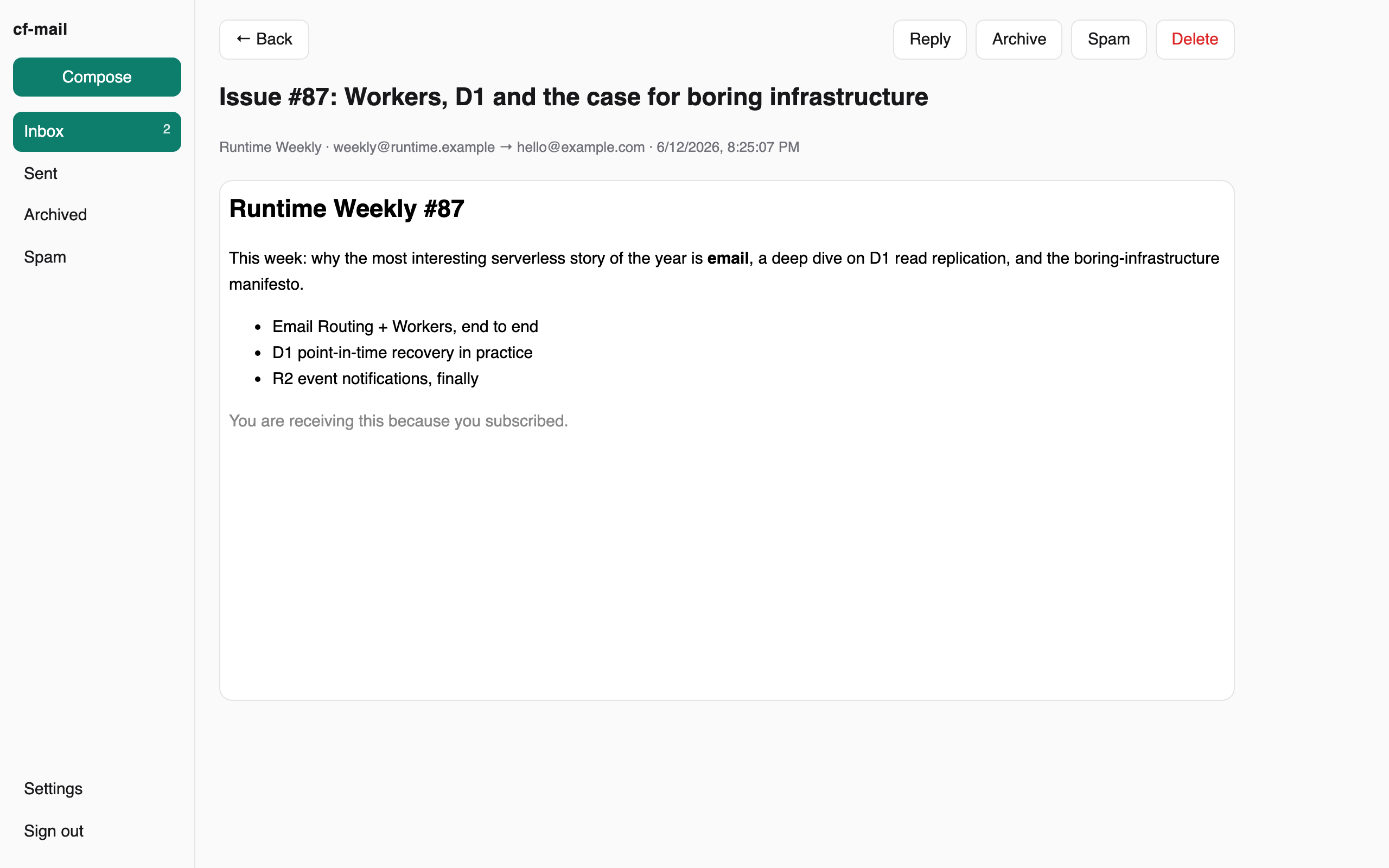
"No IMAP? That's not email." — Correct: third-party clients can't connect, and that's the biggest real limitation. The interface is the built-in web client or whatever you build on the API. For me that's the point (the UI is mine to shape); if your workflow lives in Apple Mail or Outlook, this architecture is not for you.
"Self-hosted on someone else's cloud?" — Fair. The trust boundary moves from a mail provider to Cloudflare. What changes in practice: the data sits in my D1/R2 in open formats I can export with one command, the entire behavior is ~1,000 lines of code I control, and there's no per-mailbox pricing or feature tier between me and my own mail. Whether that counts as self-hosting is a naming debate I'm happy to lose.
"What does it cost?" — Receiving is free (Email Routing has no volume cap). Sending is part of Workers Paid at $5/month, currently 3,000 mails/month included — I was already paying that for the blog, so email's marginal cost is zero. Email Service is still beta: ≤50 recipients per message, and no outbound attachments yet (inbound attachments are unlimited via R2).
What I'd tell you before you try
- The redeploy-after-enabling-Email-Service trap above. It will get you.
- Keep exactly one SPF record and let it contain only the senders you actually use; merge, don't append.
- Under DMARC
p=reject, any other channel pretending to be your domain gets dropped — route everything through the signed path before tightening. - Cloudflare's bot defense blocks default library User-Agents (error 1010) — give your scripts a real UA.
- Test inbound 550s: mail a nonexistent address at your domain from outside; you should get the bounce.
The whole thing — receiving pipeline, web client, push, schema, and a step-by-step deployment guide with all of the above written down — is MIT-licensed at github.com/Coldplay-now/cf-mail. It has been running my real mail at xtxt.top since June 2026.